The time tracker that drifts with real life
Plans never survive the day. Do more or less than you planned, and Drifttt quietly re-balances the days ahead — so every project still lands on its goal. No re-planning, ever.
Free & offline-first · runs in your browser · no account needed to start.

The idea
Your plan bends so you don’t break it
-
Set a goal
Give a project a goal — say 15 hours this week. Drifttt spreads it across your working days into a simple daily target.
-
Live your day
Skip an afternoon or power ahead — Drifttt shifts the rest across the days to come and keeps every project in balance. You never re-plan.
-
Know where you stand
One glance at the clock shows the time, which project is running, how much is left, and when your planned day is set to finish.
Features
Everything your time tracker should do
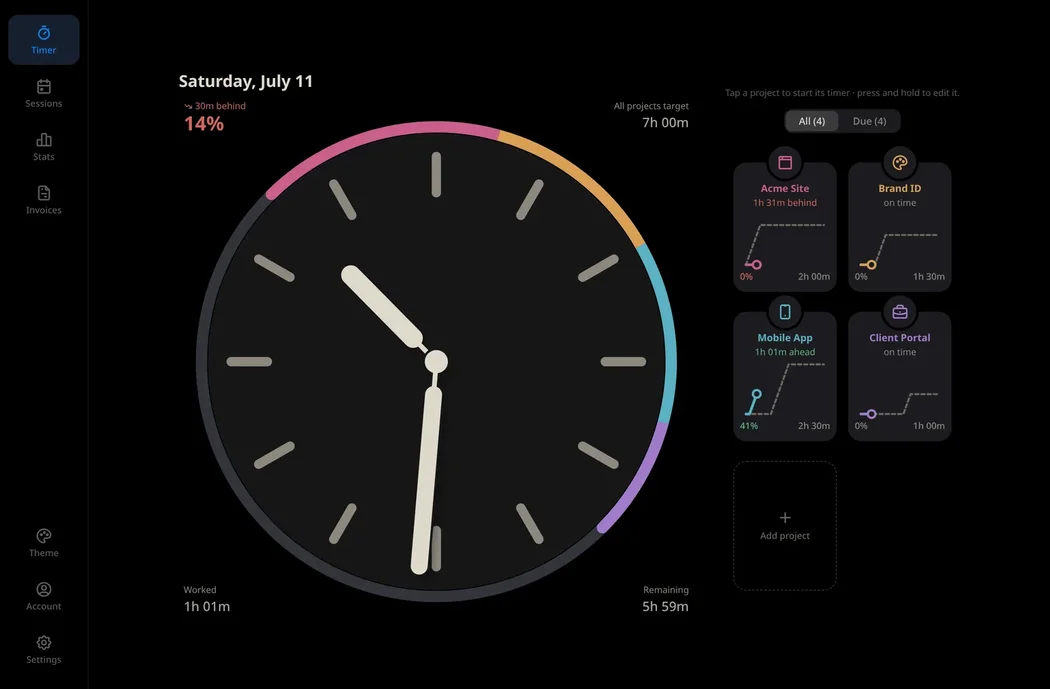
A clock worth keeping on your desk
Your whole day as a 12-hour clock — the real time and your schedule at once. Thirteen clock faces and calm OLED or light themes. Good enough to leave on screen all day.
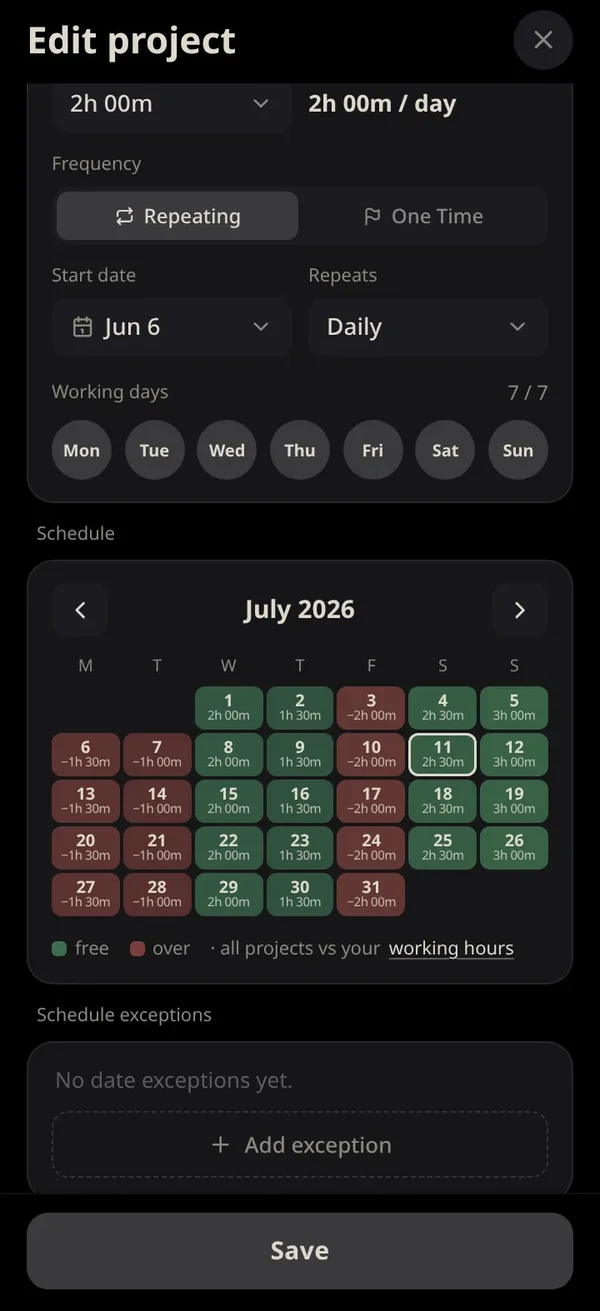
Balance your workload before you promise it
Add a project and instantly see how it fits your month. Green where you have room, red where you’d be overbooked — so you commit to dates you can actually keep.
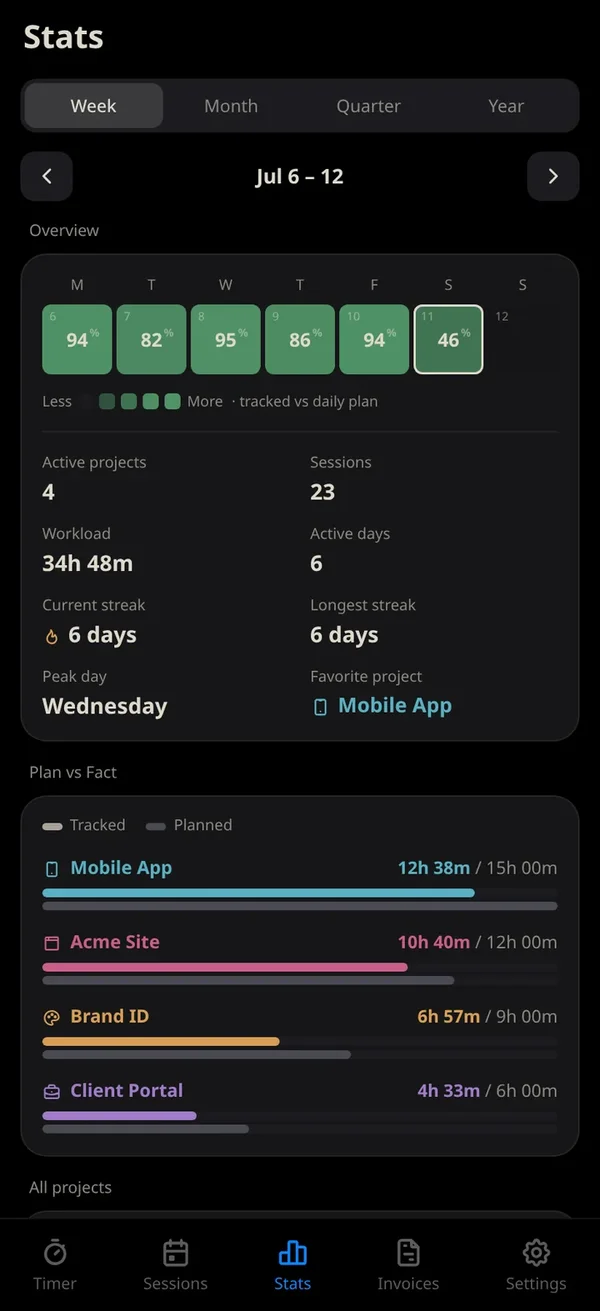
See plan versus reality
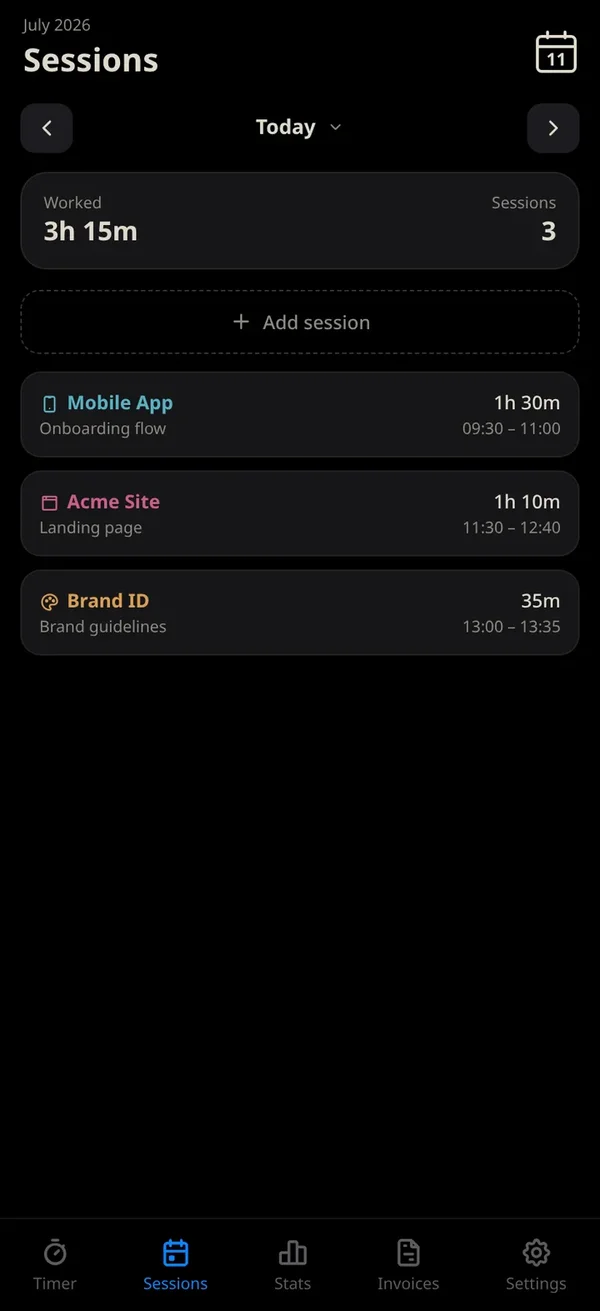
Every session is tracked, then measured against your plan — per project and overall. Streaks, a completion heat map, and an honest view of where your hours really go.
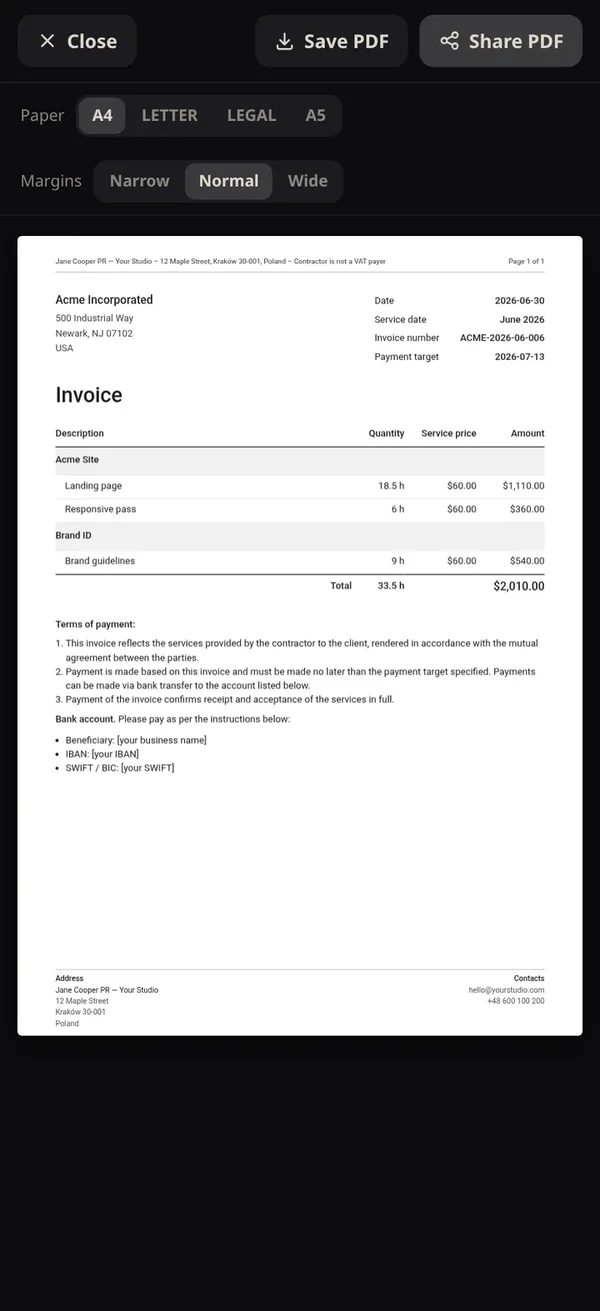
Turn hours into a clean invoice
One tap turns your tracked time into a professional PDF — grouped by project, with your terms, totals and details. Save it or share it in seconds.
Your data stays yours
Export to CSV, back up and restore the whole database, and undo any change with a full history — roll back to any point in time. Local-first, so it all works offline.
Optional
Run Drifttt by chat
Connect Claude or ChatGPT as your time-tracking secretary. Ask in plain words — it reads your schedule, makes the change, and rebalances the days so nothing slips. Every update lands live on your clock.
Platforms
Built for mobile — at home on every screen
Android and iOS are the home Drifttt is built for. But it’s made to go wherever it’s handy — glance at it on your phone, stand it on a tablet on your desk or wall, or open it on the web. Everything syncs in real time across every device you sign in on.
Not out yet? Tell us you want it — we deliver what people ask for, faster.
Pricing
Free to start — one upgrade unlocks everything
Offline & local-first — no account needed.
- Up to 2 active projects
- 1 active client
- 1 create-only invoice
- The Classic clock face
- OLED-black & Light themes
- Real-time sync across devices with a free account
when billed yearly · or €3.99 billed monthly.
- Unlimited projects & clients
- Restore to any point in your history, plus automatic backups
- AI connectors — Claude & ChatGPT
- Invoice PDF export, share, edit & delete
- CSV export
- All clock faces + Dark & Sepia themes
Payments via Apple App Store, Google Play, or Paddle (merchant of record). Cancel anytime.
Stay on track, even when your day doesn’t
Free, offline, and ready in your browser — no download, no account to start.
Try it free in your browser